SplitMate Get the app

Group trip expense splitter for Android

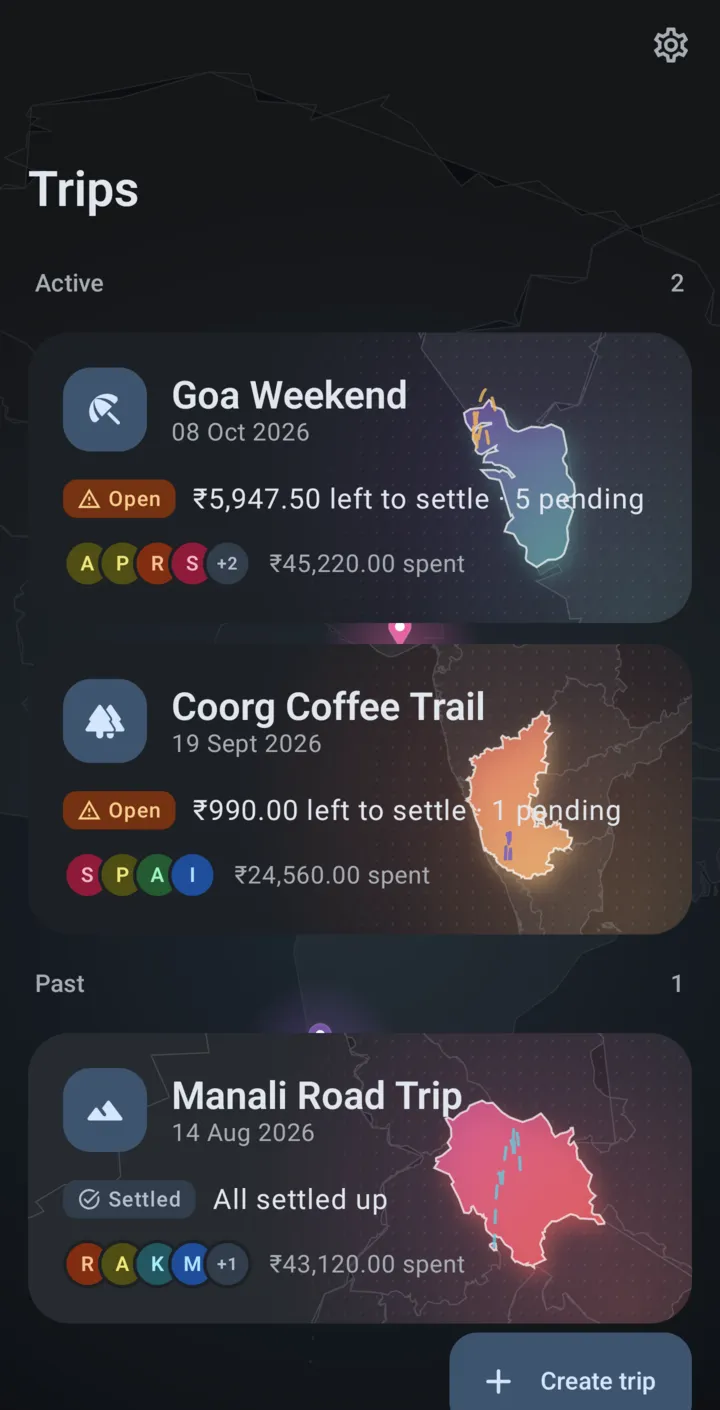
Trip money, split and settled, right as you spend.

Everyone chips into one pool, one friend holds it as the cashier, and SplitMate keeps a live record of who paid, who owes and who gets money back, right up to the final settle-up.

  • Free, no ads
  • No account or sign-up
  • Works offline
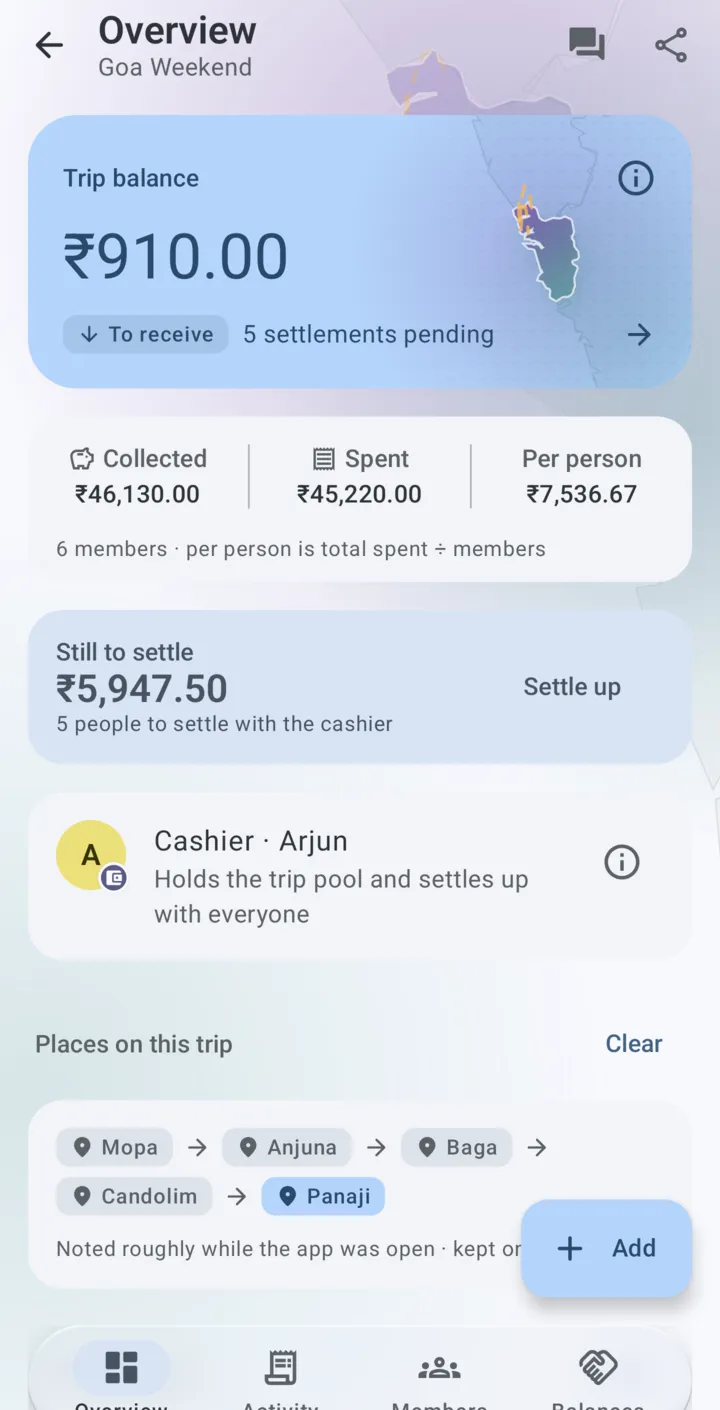
SplitMate trip overview showing the trip balance, total collected, total spent and the share per person
Add an expense4 tapsplus the amount
Sign-upNoneTrips live on your phone
InternetNot neededfor adding or settling up
Settle-upAlways readyOne plan through the cashier

How it works

Contribute, spend, settle up

SplitMate follows the way friends already run a trip: money collected up front, a dozen quick spends a day, and a settle-up at the end that nobody wants to work out on a calculator.

  1. 1

    Pool money with one cashier

    Pick the friend who holds the trip money when you create the trip. Everyone hands in contributions before or during the trip, with top-ups any time.

  2. 2

    Add expenses as you spend

    Type the amount, pick who paid, save. If a friend pays from their own pocket, SplitMate credits them automatically, so nobody is out of pocket.

  3. 3

    Settle up with one plan

    A ready-made list of who the cashier pays back and who pays the cashier. Record full or partial payments until the trip is all settled up.

Features

Built for the middle of the trip, not the night after

Fast entry

Type it like a message

Write “Dinner 1800 paid by Vikram” and SplitMate fills in the expense form for you to check and save. Or use the keypad: the amount field opens ready to type, your recent titles are one tap away, and the payer is already picked.

  • Split with everyone or just a few, equally or by amount, shares or percentage.
  • Paid from your own pocket? You're credited the full amount automatically.
  • Undo right away if you added something by mistake.
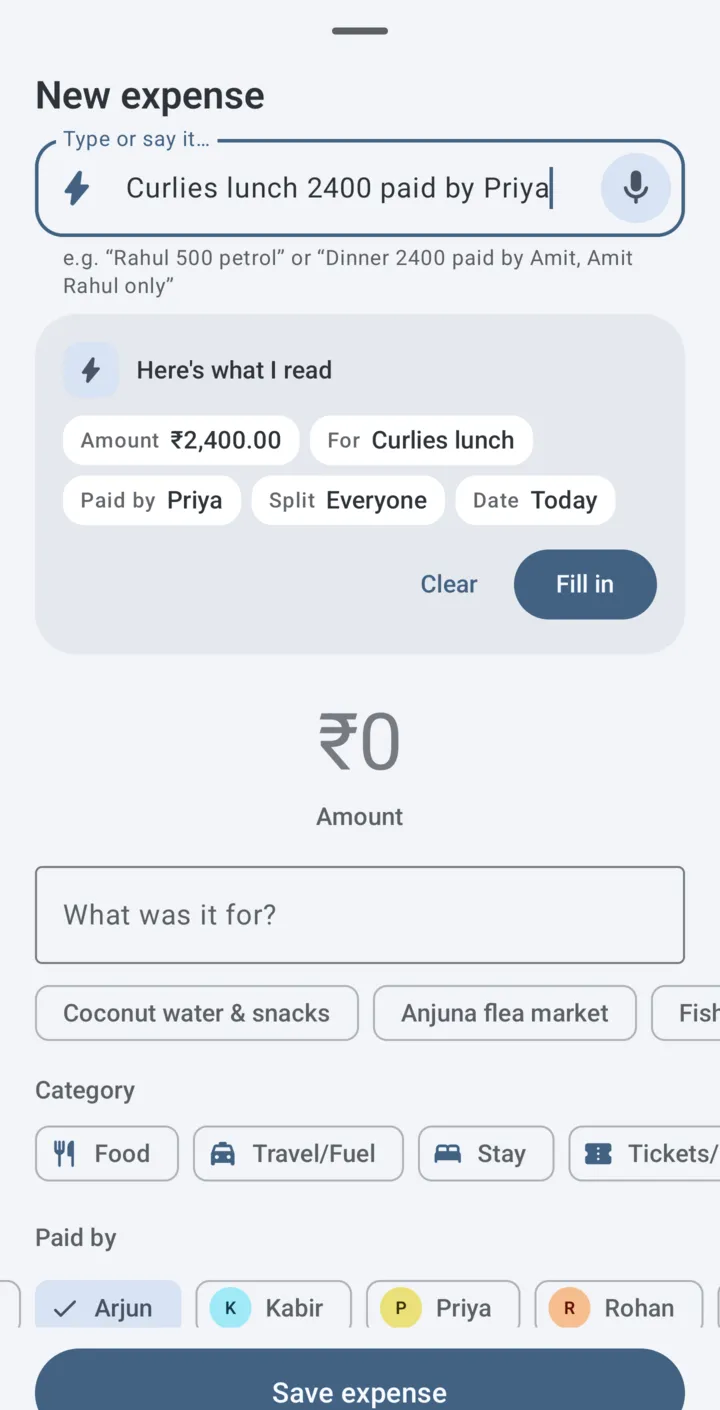
New expense sheet filled in from an expense typed in plain words: amount, title, who paid and the split

Settle up

One plan, settled with the cashier

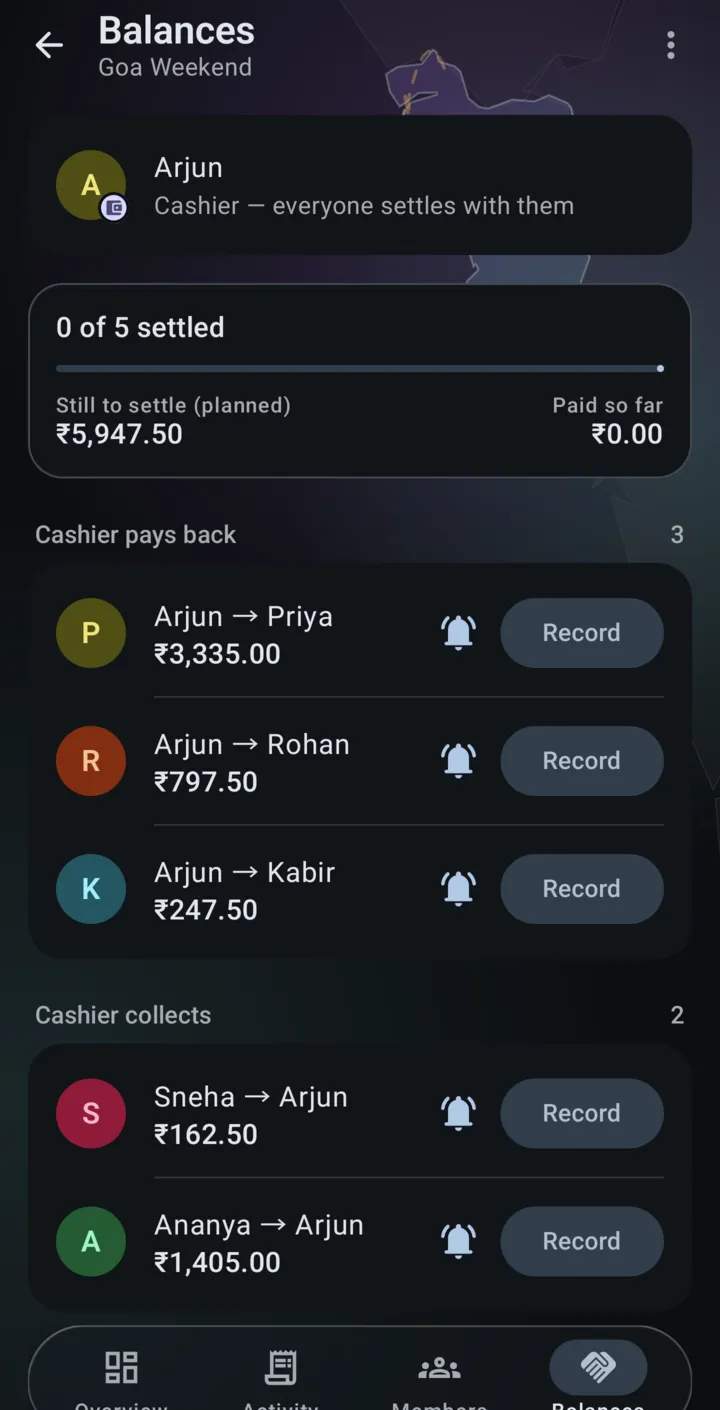
Balances update the moment anything is added, so the settle-up plan is always ready. Each person either receives money back from the cashier or pays the cashier. No chains of “you pay him, he pays her”.

  • Cashier pays back and Cashier collects, listed person by person.
  • Planned vs paid so far: record full or partial payments and watch what's still to settle shrink.
  • Gentle reminders after the trip until everyone is square, only if you turn them on.
Balances tab in dark mode with the settle-up plan: who the cashier pays back and who pays the cashier

Every rupee explained

Every number traces back to a record

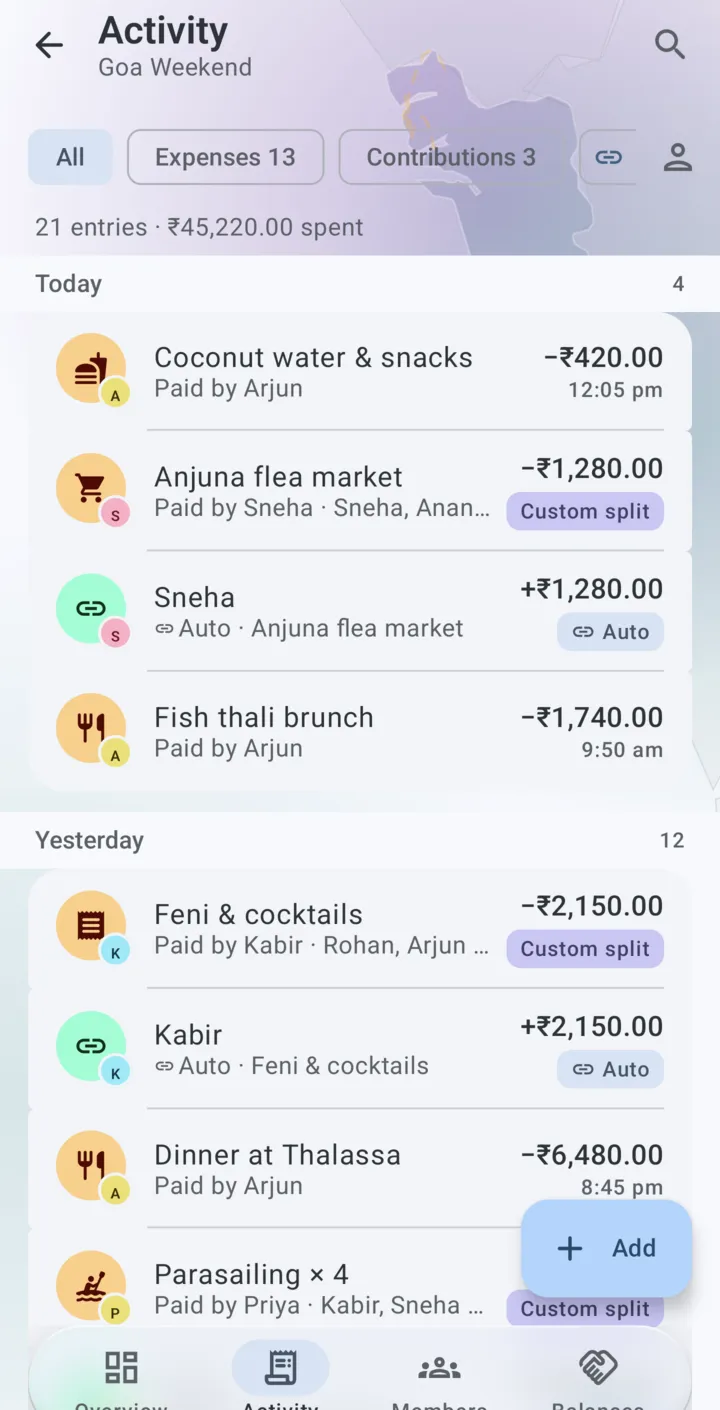
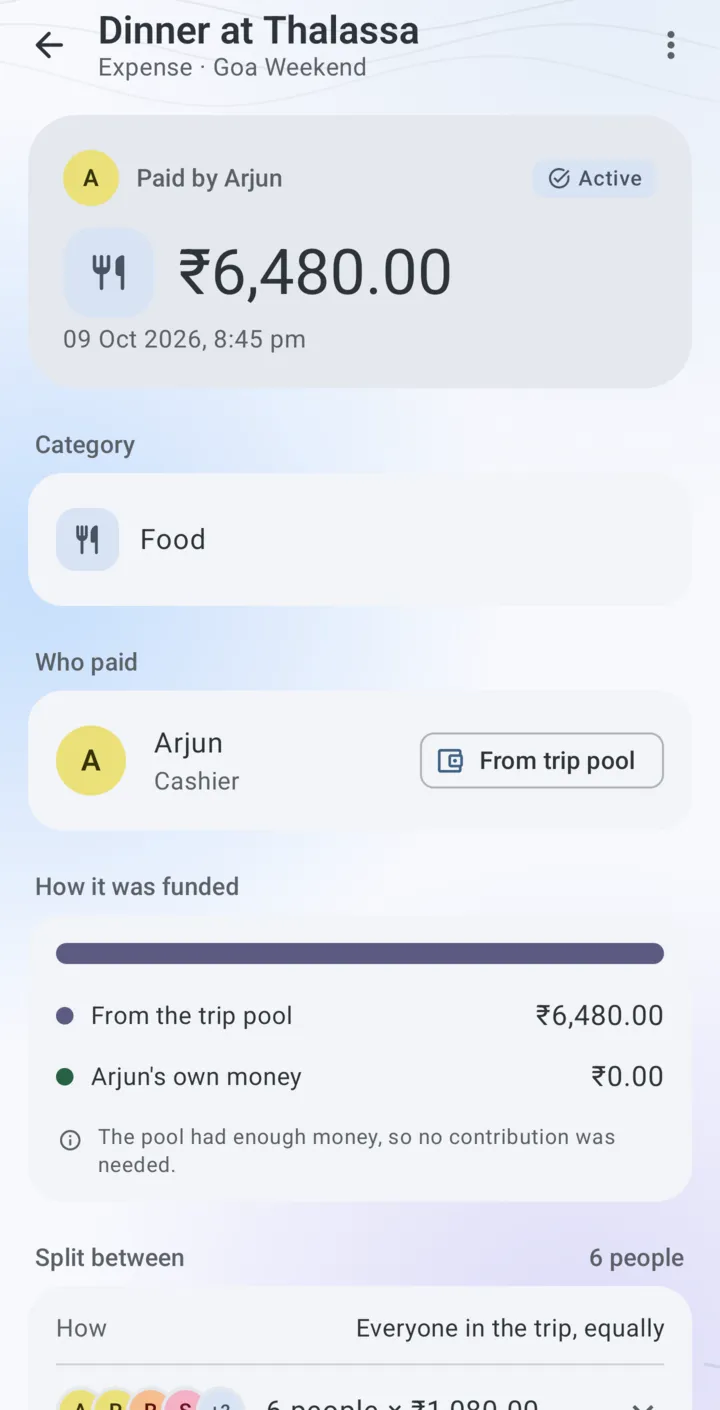
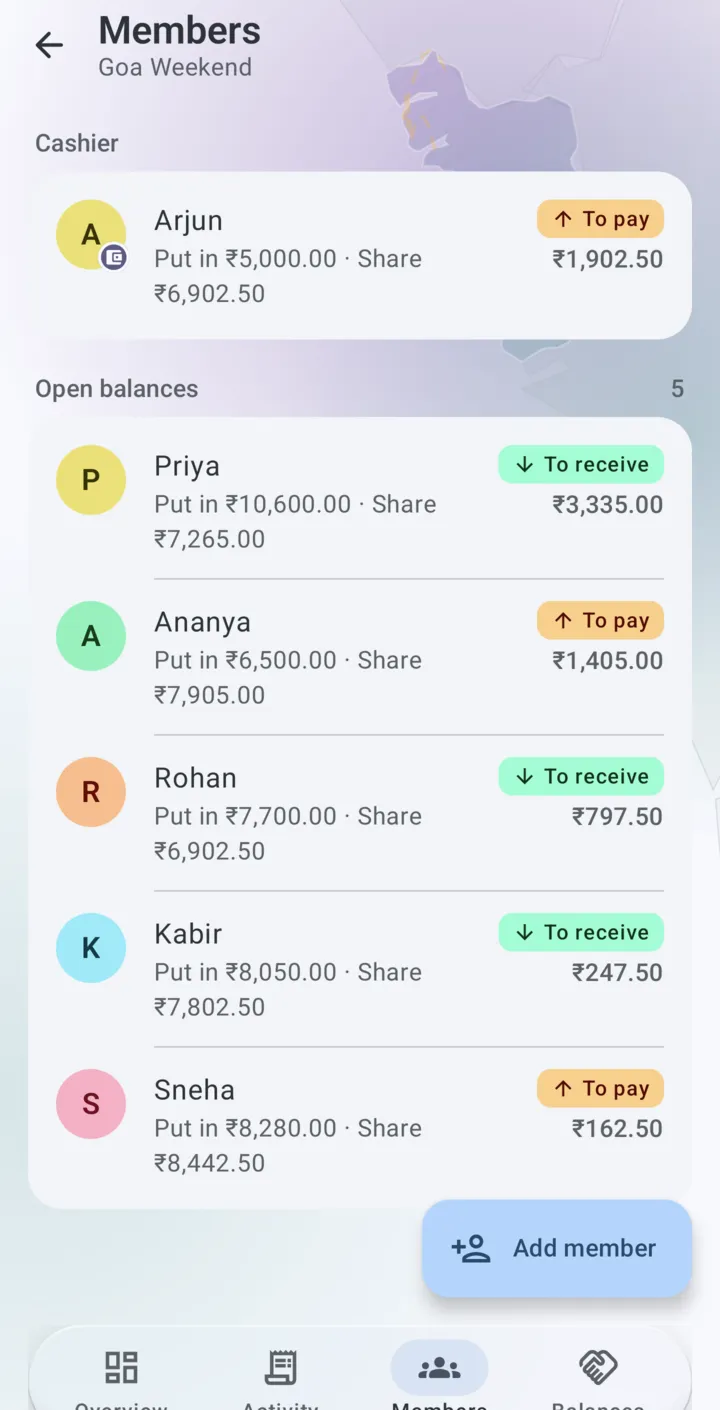
One timeline holds every expense, contribution, auto-credit and settlement. Open any expense to see how it was funded and exactly how it was split. Each member's page shows what they put in, their fair share and what's left.

  • Honest history: mistakes can be deleted shortly after you add them; later changes are reversed with a reason that stays visible.
  • “From trip pool” or “Own pocket” on every expense, so nobody mixes up who paid with who holds the money.
Activity timeline with expenses, top-ups and auto-credits grouped by day

Ask your trip

Questions answered on your phone

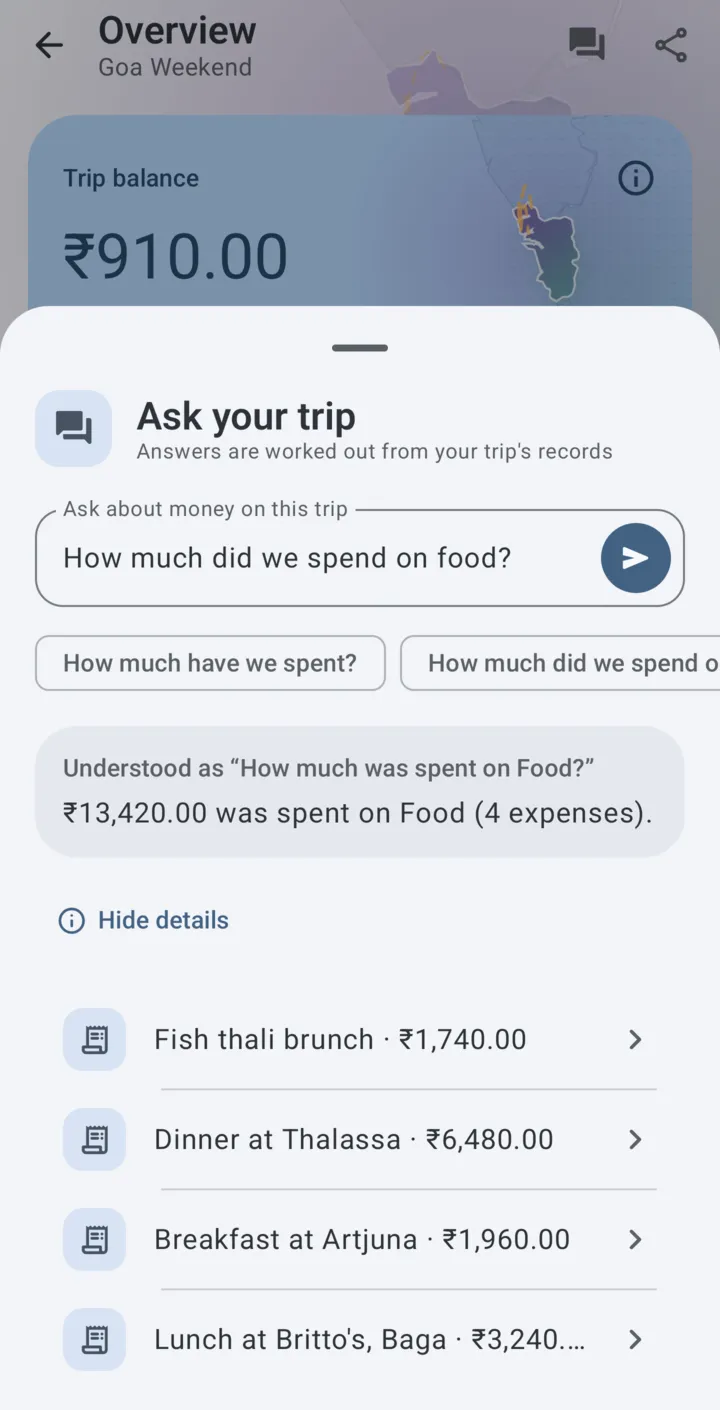
Ask “How much did we spend on food?” and get the total along with the expenses behind it. Smart features run on the phone itself on supported devices, and your trip records are not uploaded to answer them.

  • Drafts, never decisions. AI suggestions stay editable, and nothing is saved until you tap Save.
  • No smart features on your phone? Everything else works exactly the same.
Ask your trip: the question “How much did we spend on food?” answered with a total and the matching expenses

Why SplitMate

Replace the trip spreadsheet

SplitMate started as a real friend group's spreadsheet: one cashier, a shared pool and a settle-up worked out by hand. The app keeps the rules that worked and drops the manual maths.

The spreadsheet way

  • Receipts piled up and typed in the night after
  • One person re-checks formulas before anyone gets paid
  • “Who paid for the taxi?” arguments with no record
  • Hard to fill in on a phone, in the moment

The SplitMate way

  • Add an expense in a few taps, right when you pay
  • Trip balance and every share update instantly
  • Every entry shows who paid, how it was funded and how it was split
  • A settle-up plan that's ready the moment the trip ends

Use cases

Made for every kind of group trip

Wherever a group shares costs and one person ends up holding the money, SplitMate keeps it straight.

Weekend getaways

Beach weekends with friends: villa advance, scooters, dinners and a late-night snack run.

Villa, scooters, dinners and snacks

Road trips

Fuel, tolls and dhaba stops paid by whoever is closest to the counter. Own-pocket payments are credited automatically.

Fuel, tolls and food stops

College outings

Small amounts, lots of people. Quick ₹500 and ₹1,000 top-ups, and a split that's fair to the rupee.

Quick top-ups from ₹500 to ₹5,000

Family holidays

One relative holds the holiday kitty. Everyone sees what went where, without a single awkward question.

Cashier · holds the trip money

Treks and coffee trails

Off the grid for days? SplitMate works without internet, so entries never wait for a signal.

Works with no signal

Group events

Reunions, birthday plans and shared outings where one friend collects and spends for everyone.

Archived with the final numbers

Private and offline

Your trips live on your phone

No account

No sign-up, no login. Open the app and start a trip.

Works offline

Adding expenses and settling up never need a connection.

Optional trip maps

Notes the towns you visit, only while the app is open, and only if you allow it.

Records, not payments

SplitMate doesn't move money, link to bank accounts or take payments.

Screenshots

A look inside the app

FAQ

Questions, answered

Is SplitMate free?

Yes. SplitMate is free to download and has no ads.

Does SplitMate need the internet?

No. Adding expenses and contributions, checking balances and settling up all work offline. Only optional extras, such as downloading on-device AI models or online map outlines, need a connection.

What is the cashier?

The cashier is the one friend who holds the trip money. Everyone hands contributions to the cashier, and at the end the cashier pays back or collects from each person. The cashier is chosen when the trip is created and can't be changed later.

What if a friend pays from their own pocket?

Record the expense as paid by that friend. SplitMate credits them the full amount automatically, so nobody ends up out of pocket.

Does SplitMate send or receive money?

No. SplitMate records money between friends. It does not move money, link to bank accounts or take payments.

Can I fix a mistake?

Yes. You can delete an entry for a short time after adding it. After that, you reverse it with a reason, so the trip history stays honest and every number can be traced.

Where is my trip data stored?

On your phone. There is no account and no sign-up. Trips are included in your phone's own Android backup, so they move with you to a new phone. Read the privacy policy.

Which phones does SplitMate support?

Android phones running Android 12 or later. Smart features run on the phone itself and are available on supported devices.

Your next trip, settled before you're home

Start a trip, pick a cashier and add the first expense in under a minute. Free on Android, no sign-up.

Get it on Google Play